
Drive Mad
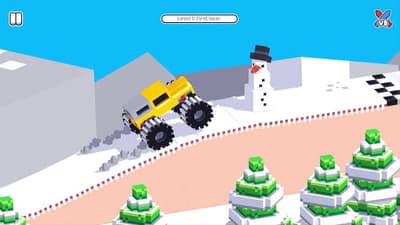
Drive a monster truck over wobbly bridges and bumpy levels, and reach the finish without flipping over. Too much speed tips you over, so each level is about control.
How to play Drive Mad
Hold an arrow key to drive the way the sign points, and let go to slow down. Reach the end of the level to move on to the next one.
If your truck flips over, the level ends and you can retry straight away.
Drive Mad game modes
- Levels. Play through the levels in order, or pick one from the level list.
Tips and tricks
- Use short presses on steep bridges, because holding too long flips the truck.
- Follow the sign at the start of each level, since the direction changes.
- Retry straight away, because each level is short.
More games like this
Explore more racing games, or choose another game from Play next.
- Cars Arena — Switch from racing lines to surviving a car arena.
- PolyTrack — Chase a faster time on loops and jumps, or experiment with the track editor.
- Kart Bros
- Racing Limits
Controls
PC controls
- Right and left arrow keys: drive forward and back.
Touch controls
- On touchscreens: use the on-screen arrows.
FAQ
What are the controls for Drive Mad?
Use the left and right arrow keys to drive, or the on-screen arrows on a touchscreen.
Why does my truck keep flipping?
You are probably holding the key too long. Use shorter presses on bridges and slopes.
Do I need to download Drive Mad?
No. It runs in your browser.