
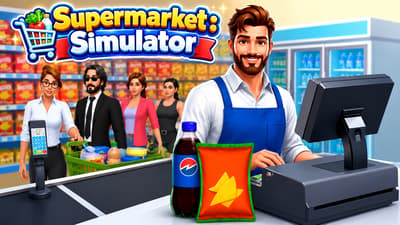

Supermarket Simulator
Run your own supermarket: order deliveries, stock shelves, set prices and serve customers at checkout. Hire cashiers and shelf stockers, manage their shifts, unlock products and expand your store. Progress is saved in this browser. Staff access is free; in-game wages and upgrades still apply. You can start playing Supermarket Simulator free in your browser.
How to play Supermarket Simulator
Follow the tutorial to order deliveries, stock shelves, set prices and serve customers at the checkout. Move around the store with WASD and look around with the mouse.
As your shop grows, unlock products and expand the store. Hire cashiers and stockers, then arrange their shifts through Employee Schedule.
Supermarket Simulator game modes
- Store management. Develop your supermarket through deliveries, sales, staffing and expansion.
Tips and tricks
- Check which shelves need stock before ordering another delivery, so you can put the next shipment where it is needed.
- Follow the checkout tutorial before expanding: stocking products and serving customers are both part of running the shop.
- Plan employee shifts in advance. Changes in Employee Schedule take effect on the next game day.
- Budget for in-game wages and upgrades even though staff access itself is free.
Supermarket Simulator beginner guide
Build a routine around ordering, stocking, pricing, and checkout. Start with a small store you can keep supplied, then plan staff shifts around the money your shop can afford to spend.
What should I do on my first day?
Follow the new-store tutorial in order. It introduces the interactions you need for deliveries, shelves, and checkout. Use the keyboard and mouse, and read the interaction prompt for the object you are looking at.
- Check your shelves and store balance before placing an order. Choose a small order you can afford and have room to display.
- Collect the delivery and put the products on the appropriate shelves. Stock on display is what customers can shop for.
- Check product prices, then follow the tutorial through serving customers and taking payment at checkout.
- Between customers, look for empty shelves and replenish them. Keep money available for the next order before spending on expansion or staff.
How do I hire a cashier or shelf stocker?
Open Employee Schedule. Cashier and shelf-stocker access is free in the LiteGames version. Unlock the role first, then use its Hire button and review the shift. Wages and staff upgrades still use the store’s in-game money.
Check the hourly rate, shift length, and total before committing. For example, a displayed rate of $5 per hour over eight hours totals $40. Free access to a role does not remove that wage bill.
Schedule changes take effect on the next game day. If you change a shift during the current day, check it again when the next day begins.
Why isn’t my employee working?
Check three things in Employee Schedule: the role is unlocked, the employee is hired, and the scheduled shift applies to the day you are playing. Unlocking staff access alone does not hire the employee.
If you have just edited the schedule, allow the next game day to begin. Review your store balance and the displayed shift cost before adding more working hours.
If walking or looking around stops responding, click back inside the game and follow its on-screen prompt. Use the fullscreen button beneath the player for more space. Supermarket Simulator needs a keyboard and mouse.
More games like this
Explore more simulator games, or choose another game from Play next.
- Cooking Rage
- Hippo Pizza Chef — Try a pizza-themed puzzle for a different kind of kitchen challenge.
- Monkey Mart
- Kebab Chef: Cooking Simulator — Prepare orders, manage customer patience and upgrade your restaurant kitchens.
Controls
PC controls
- Move with WASD and use the mouse to look around
- Follow the in-game tutorial and interaction prompts to stock shelves and operate checkout
- Open Employee Schedule to unlock staff for free, then hire them and set their shifts
- Schedule changes take effect on the next game day
- Use the portal fullscreen control for a larger view; Escape releases the mouse
FAQ
Can I play Supermarket Simulator online without a download?
Yes. This browser version runs on the game page without a separate app or launcher. Use a keyboard and mouse: WASD moves your character and the mouse controls your view.
How do I hire cashiers and shelf stockers?
Open Employee Schedule to unlock staff access for free, then hire employees and arrange their shifts. In-game wages and upgrades still cost money.
When do employee schedule changes take effect?
Changes to Employee Schedule apply on the next game day. Plan the next shift before starting another day.
Is this a multiplayer supermarket game?
This version is a single-player store-management game. You order stock, serve customers, hire staff and expand your own shop.
Is Supermarket Simulator free?
You can start playing free in your browser with no download. Hiring a cashier or shelf stocker can cost $5 for that save.