
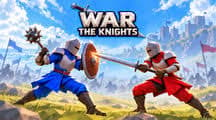
War the Knights
Fight in large medieval battles from a first-person view. Pick a side, choose your weapons and gadgets, capture the points on the map and lead your team to victory.
How to play War the Knights
Choose Coast or Island, pick your weapons and gadgets, then press Battle.
Click the game so it can use your mouse, then fight your way to points A, B, C and D. Capture them to win the battle for your side.
War the Knights game modes
- Battle. Fight for the map's capture points with your army.
Tips and tricks
- Switch to your bow with 2 to hit enemies before they reach you.
- Use your gadgets with 3 and 4, such as the Apothecary, who heals nearby allies.
More games like this
Explore more action games, or choose another game from Play next.
- Crowd Run — Compare number gates and steer your growing crowd away from traps.
- Stickman Archers — Practice aiming in physics-based archery duels.
- Bridge Race
- House of Hazards
Controls
PC controls
- WASD: move.
- Left mouse button: attack.
- Right mouse button: block or aim.
- Middle mouse button: throw.
- Shift: run. Z: crouch. E: interact.
- 1 and 2: main weapons. 3 and 4: gadgets.
- F: kick. G: throw melee weapon. R: war cry. P: pause.
FAQ
What are the controls?
WASD to move, left mouse to attack, right mouse to block or aim, Shift to run and 1 to 4 for weapons and gadgets.
Is my progress saved?
Yes. Your progress is saved, and signing in keeps it on your account.